
AI Advertising·Aug 17, 2026
Learn how ecommerce teams can plan, script, produce, test, and improve product video ads with a practical workflow.
By Sprokl Team · Updated August 17, 2026
Product video advertising is not only a filming task. For ecommerce teams, it is a system for turning a product, a customer problem, and a campaign objective into a short piece of creative that earns attention, explains value, and gives the viewer a clear next step.
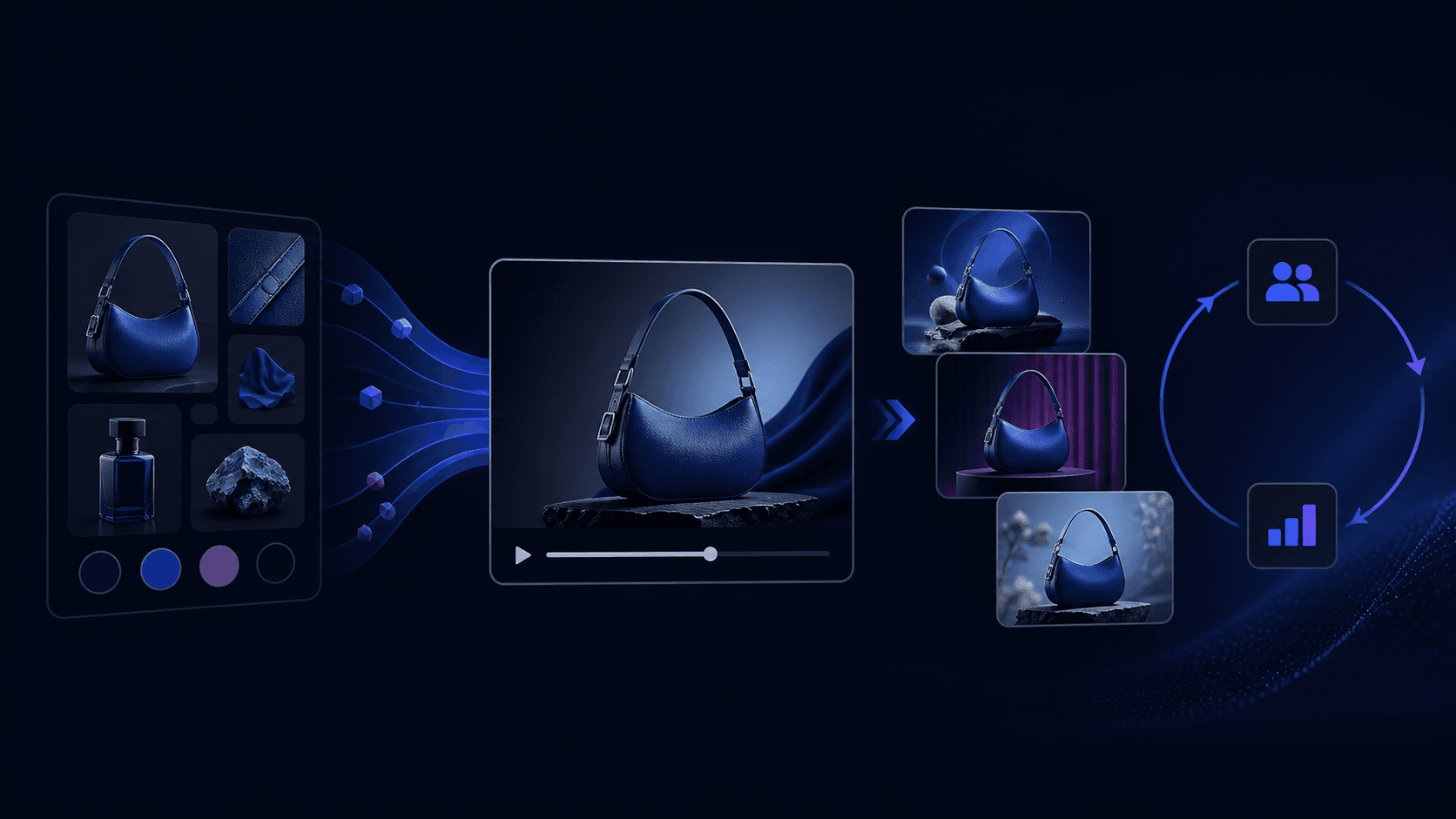
This guide explains a practical video ad production workflow for ecommerce brands. The goal is not to promise a winning ad or suggest that expensive production automatically creates sales. It is to make the creative decisions explicit, produce useful variations, check them against platform requirements, and learn from campaign data.
Google's ABCD framework gives a useful starting point for video ad production: Attention, Branding, Connection, and Direction. It recommends getting into the story quickly, showing the brand or product early and throughout, focusing the message, humanizing the story where appropriate, and making the desired action clear.
For a product video, these principles translate into four practical questions:
Google reports that its ABCD guidance is associated with a 30% lift in short-term sales likelihood and a 17% lift in long-term brand contribution. Those figures are attributed to Google/Kantar's stated study context; they should not be presented as a guarantee for an individual ecommerce campaign. (Google Ads Help)
Start with the campaign objective, audience, one product promise, and one conversion event. A useful brief can be as short as:
Avoid putting every product benefit into one video. A focused creative angle makes the video easier to understand and makes later testing more useful. For example, a team might produce one video around a product demonstration, another around a common customer objection, and a third around a use case. Those are different hypotheses, not just different edits.
IAB's data-driven video guidance makes a related point at the workflow level: data can inform not only targeting but also the video assets and creative messaging. The public page describes best practices and cross-vertical case studies, but the deeper content is member-gated, so use the source for this framing rather than inventing details from inaccessible material. (IAB Data-Driven Video Best Practices)
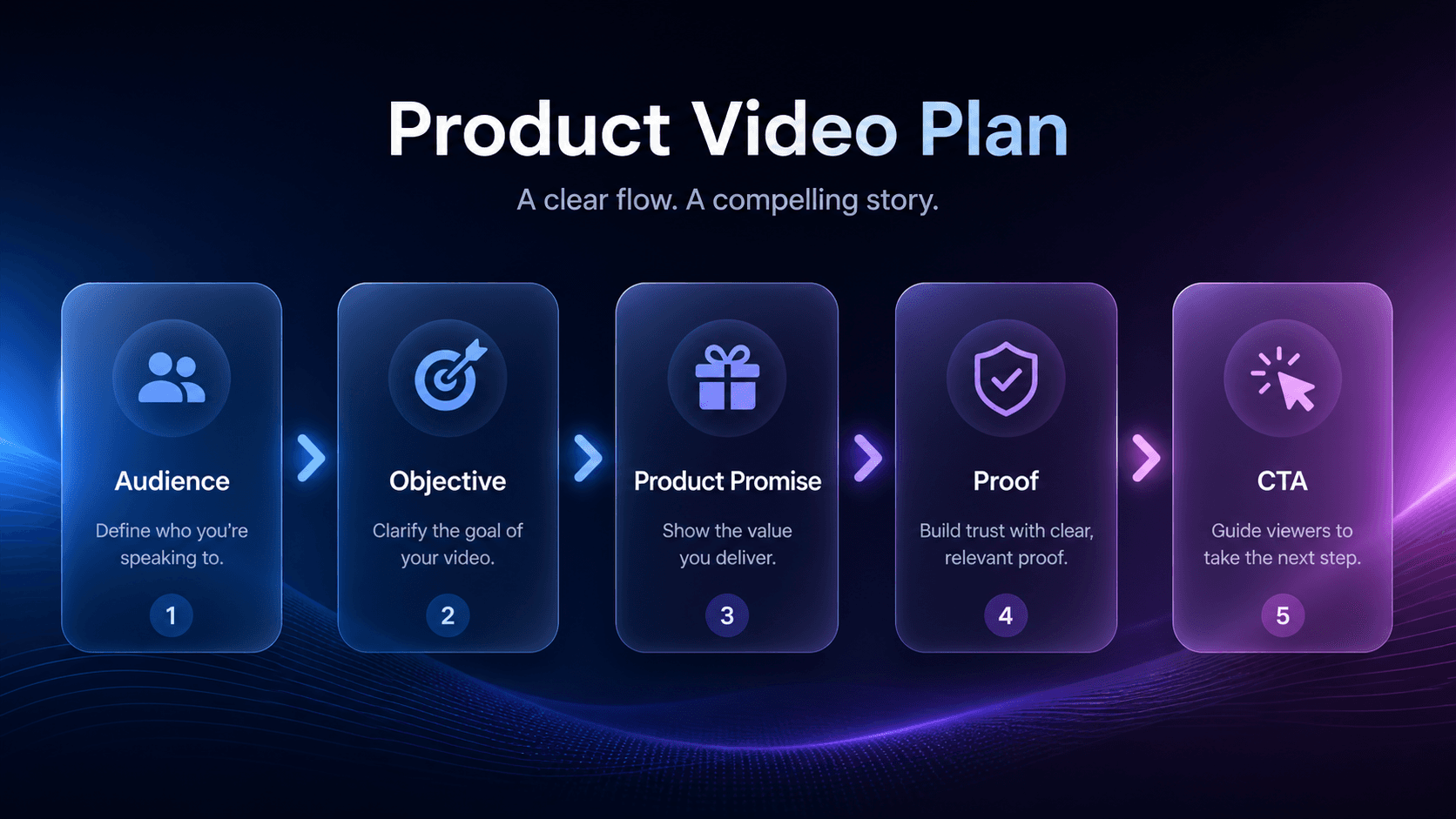
Define the audience, objective, one product promise, and CTA before production begins.
TikTok's Creative Codes describe a reliable hook-body-close structure. The hook earns attention, the body conveys the brand message, and the close anchors the ad with a strong CTA. TikTok also recommends a TikTok-first approach, dynamic stimulation, and deliberate use of sound. Teams can use AI ad scripts to plan different messaging directions, while keeping the product promise and claims under human review. (TikTok Creative Codes)
Open with the problem, outcome, contrast, or product action that matters to the audience. The first moment should carry the message, not delay it with a generic logo animation or a long establishing shot.
Use the middle of the video to demonstrate how the product fits the use case. Show the product, the relevant action, and the benefit that follows. Keep the explanation narrow enough that a viewer can repeat it after the video ends.
End with a specific action such as viewing the product page, trying the product, or learning more. Repeat the CTA in on-screen text and voice-over when that supports the platform and creative format.
Lock the hook-body-close structure before matching each message to an available asset.
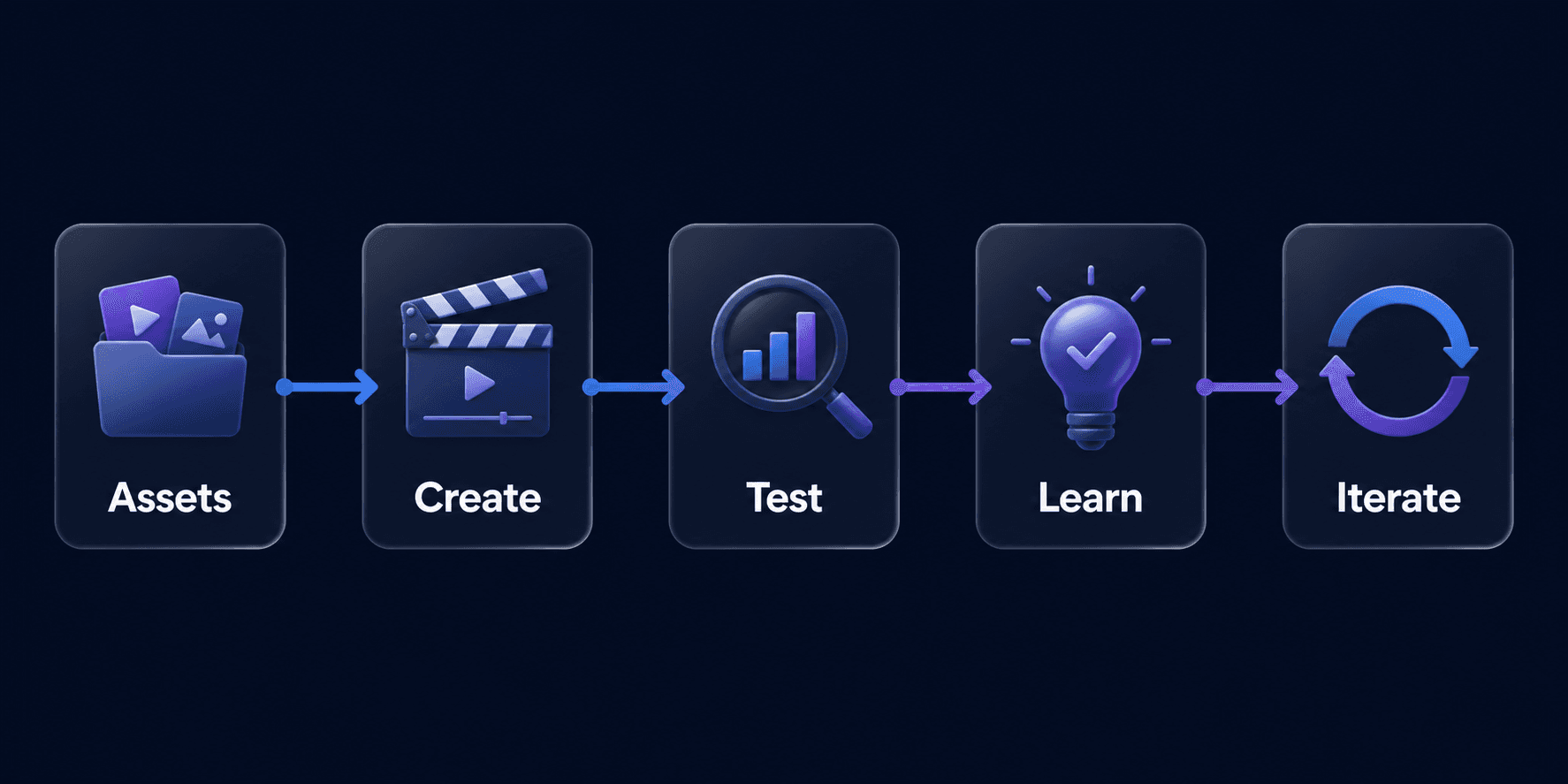
Collect product footage, screenshots, demonstrations, customer language, brand assets, and approved claims before writing the final edit. Existing assets can often support multiple intentional versions: different hooks, sequences, captions, crops, voice-overs, or CTAs. An AI video ad generator can support this production workflow, but the team still owns product accuracy, claims approval, and final review.
TikTok's documented production principles include 9:16 framing, footage at 720p or higher, and leaving space for the TikTok interface. Treat those as TikTok-specific guidance, not a universal specification for every ad platform. (TikTok Creative Codes)
Google Ads Creative guidance describes checks for a prominent brand logo in the first five seconds, suitable duration, high-quality voice-over, and coverage across horizontal 16:9, vertical 9:16, and square 1:1 orientations. These checks can become a practical QA list, but the page does not establish that every attribute will improve every campaign. (About Creative guidance in Google Ads)
Before launch, review product accuracy, branding, claims, captions, audio, CTA, safe zones, and destination page alignment. This is also the point to remove unsupported claims or visual details that do not match the actual product.
Build one clear primary version first, then create a small number of meaningful variations from the same asset set.
| Stage | Input | Creative Decision | Output |
|---|---|---|---|
| Product assets | Photos, footage, product details | Select usable source material | Asset set |
| Creative angle | Audience problem and product promise | Choose one message direction | Creative direction |
| Hook / script | Angle, proof, CTA | Define opening, body, and close | Short script |
| Scene plan | Script and available assets | Match each message to a scene | Shot / scene plan |
| Variations | Same asset set and production constraints | Prepare 2–3 meaningful versions | Video variations |
| Review | Draft videos and approved claims | Check clarity, consistency, format, and CTA | Review-ready videos |
Hypothetical example. Imagine an ecommerce team preparing a short video for a generic reusable water bottle. The available inputs are product photos, close-up bottle footage, carrying footage, pouring footage, cleaning footage, a product description, a customer problem around staying hydrated during a commute or workday, and approved product details. The example uses only details the team has actually approved; it does not invent performance, durability, or health claims.
The team chooses the creative angle make everyday hydration easier. Instead of opening on the package, the hook starts in a commute or desk context: the viewer sees the bottle being picked up and used at the moment the everyday problem appears.
The short script follows a hook-body-close structure:
The scene plan maps each message to an available asset:
From the same product asset set, the team can prepare three production variations:
These are production variations, not campaign experiments. Before a video enters a campaign workflow, review message clarity, asset quality, product consistency, claims, captions, format and safe zones, audio, and CTA clarity. The team should record what the next production brief should improve, without declaring a winning variation or inventing campaign results.
Check clarity, claims, product consistency, format, and CTA before the video enters a campaign workflow.
Production is only part of the workflow. Advertising platforms may provide experiments, campaign reporting, and attribution tools; those are platform and measurement capabilities, not Sprokl features. Google recommends using Video experiments to compare video ads or creative strategies based on conversion performance. (Optimize your Video campaign for more conversions)
For deeper guidance on hypotheses, variable control, experiment design, and measurement, use the creative testing framework. In this production workflow, the practical task is to prepare comparable video variations and record what the next brief should investigate.
Measure more than views. Connect attention and engagement signals to the campaign objective and downstream conversion data using the platform's own reporting setup. A recent Journal of Research in Interactive Marketing study analyzes video-ad and performance data across more than 90,000 campaigns and about one trillion impressions. It is context for feature-level engagement analysis, not direct proof of ecommerce sales causality. (Effects of video ad features on audience engagement: evidence from a large-scale video platform)
Write down the next brief. Record which angle was tested, what changed, which metric answered the question, what remains uncertain, and what the next version will investigate. A result becomes more valuable when it changes the next production decision.
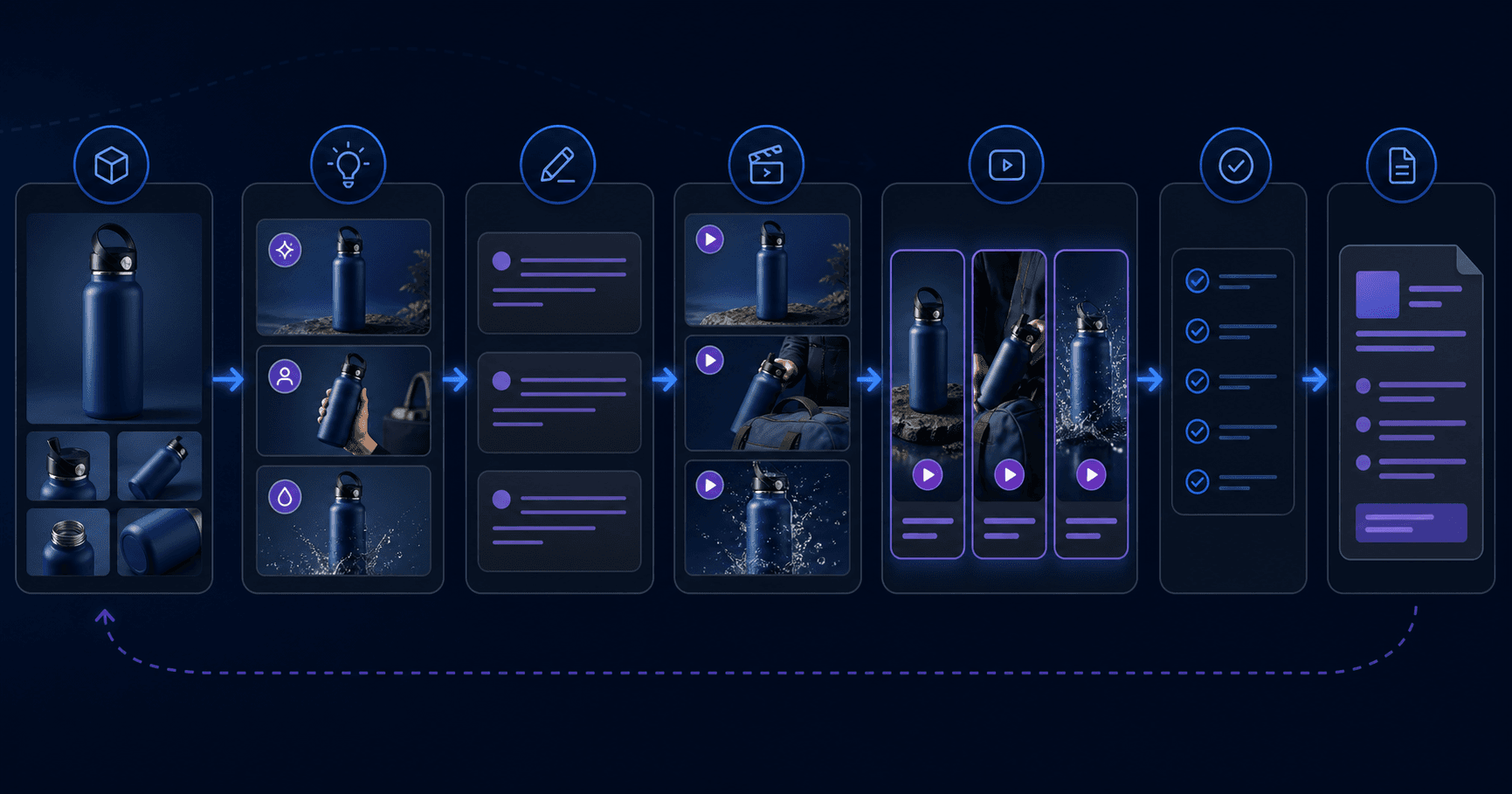
Sprokl fits on the production and iteration side of this workflow. It is positioned as an AI ecommerce creative workflow layer that helps teams turn existing product assets and creative inputs into more structured video variations and a clearer path to the next production brief.
That positioning is narrower than “AI makes winning ads.” The team still owns the brief, product and brand review, claims approval, campaign setup, measurement, and decision about what to scale. Sprokl should be introduced after the general workflow is clear, as a way to reduce production friction and organize iteration rather than as a media buying, attribution, or automatic optimization system.
There is no single length that applies to every objective, placement, and audience. Start with the message and format requirements, then test versions that deliver the product value clearly. Avoid turning a platform-specific recommendation into a universal rule.
Not necessarily. Production quality should serve comprehension, trust, and the campaign objective. Clear product footage, a focused message, readable text, appropriate sound, and a direct CTA may be more useful than adding complexity that does not improve the viewer's understanding.
Use a consistent production structure, not one identical script. The hook, product angle, proof, format, and CTA can become deliberate inputs for preparing video variations. The testing framework determines how those variations should be compared.
No. AI can help a team explore and organize variations, but performance still depends on product-market fit, message relevance, platform delivery, landing-page experience, measurement quality, and human review.
Product video advertising is a repeatable production workflow: define the audience and objective, choose one product angle, write a hook-body-close script, produce platform-appropriate variations, run a quality check, and prepare the next brief.
The advantage is not simply making more videos. It is creating a system that turns existing product assets into clearer creative directions, reviewable variations, and better-informed production decisions for ecommerce campaigns.
Related keywords: product video ads, ad video production, video ads production, video production for ads.
Keep exploring
Make the next creative move
Build, test, and iterate on ecommerce ad creatives faster with AI-powered concepts, scripts, and variations.