Ecommerce Marketing·Sep 18, 2026
Learn how to write an ad script that connects an audience problem to a clear hook, product proof, and next action—with a reusable framework, examples, and QA checklist.
By Sprokl Team
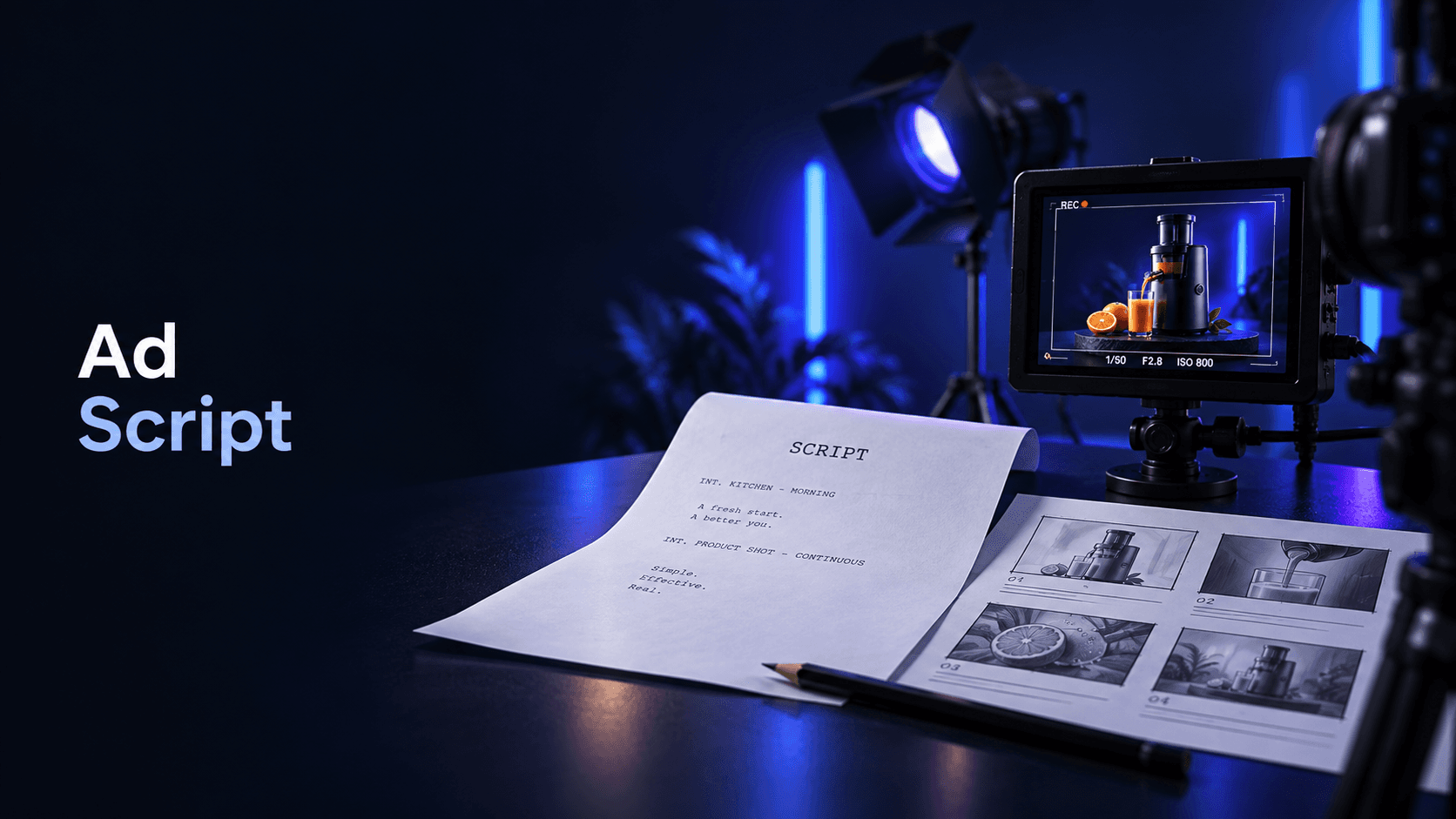
An ad script is more than the words a voice actor reads. It is the working plan that connects a specific audience situation to a hook, a product demonstration, supporting proof, and one clear next action.
That distinction matters because a clever line can still produce a weak ad if nobody knows what to show, which product fact supports the claim, or what the viewer should do next. A useful ad script makes those decisions visible before filming or editing begins.
This guide gives you a practical way to write one. You will get a four-part framework, a filled ecommerce example, adaptable templates, and a final checklist for reviewing the script before it enters production. The examples are illustrative, not performance promises.
A strong script gives the creative team enough direction to answer five questions:
The script does not need to predict whether the ad will perform well. It needs to make the message specific, accurate, producible, and easy to review. That gives the team something concrete to improve or test later.
For video ads, Google's ABCD guidance organizes creative decisions around Attention, Branding, Connection, and Direction. TikTok's Creative Codes uses a related hook-body-close structure. These are useful platform frameworks, not universal formulas: adapt the details to the objective, placement, audience, and available product evidence. (Google Ads: About the ABCDs of effective video ads, TikTok Creative Codes)
Before writing dialogue, fill in this short brief. If a line is vague, the script will usually be vague too.
| Brief line | What to decide | Example prompt |
|---|---|---|
| Audience | The person and situation the ad is for | Who is trying to solve this problem today? |
| Problem or desire | The moment that creates attention | What is frustrating, slow, confusing, or desirable? |
| One promise | The single useful takeaway | What can this product help the viewer do or understand? |
| Proof | What the viewer can see, hear, or verify | Which product detail or action supports the promise? |
| Next action | The one step after the ad | What should the viewer view, try, compare, or learn? |
Keep the promise narrow. An ad script that tries to explain every feature usually makes none of them memorable. Choose the product fact that best serves this audience situation, then save the other benefits for another angle or variation.
If you need more opening ideas, use the social media hooks guide. It treats a hook as a testable opening decision rather than a guarantee of reach or conversion.
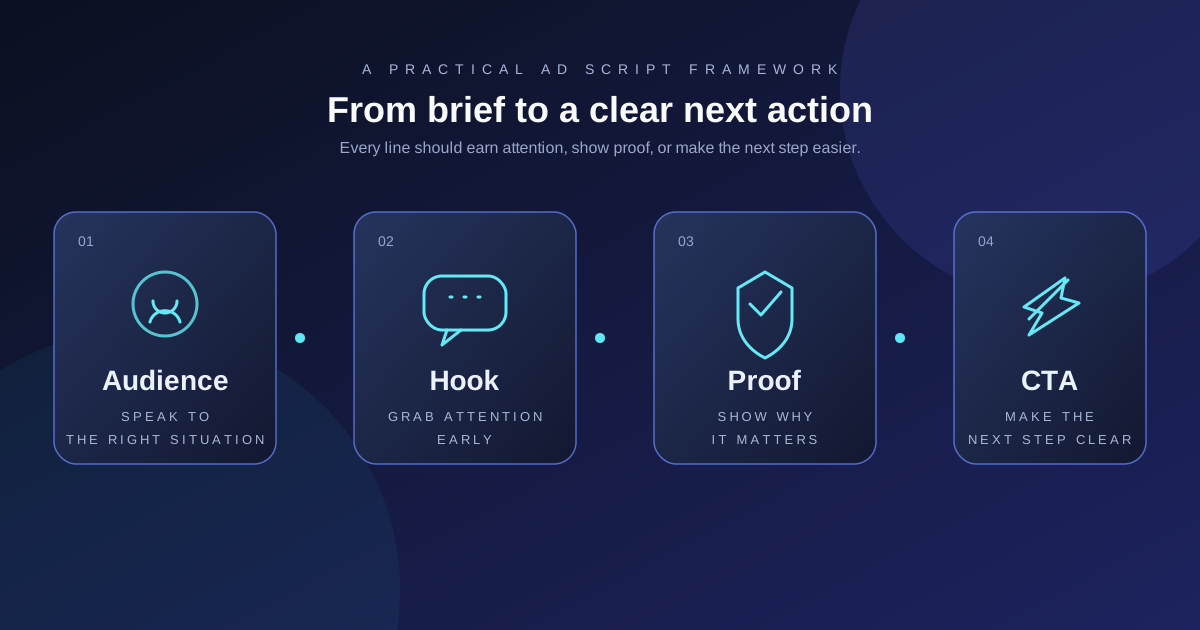
Use four jobs to shape the script. They are simple enough for a 15-second video and flexible enough for a longer product story.
Start with a recognizable moment, not a generic claim about the brand. The audience section can be spoken, shown, or implied by the first frame.
Weak direction: “Meet the ultimate solution for modern life.”
More useful direction: “When your countertop fills up before dinner, where do the loose ingredients go?”
The second version gives the viewer a situation to identify with and gives production a visual starting point. It also leaves room for the product to demonstrate the answer.
The hook is the first clear reason to keep watching. It can be a problem, contrast, surprising use, objection, question, or visible product action.
Write the hook as a complete creative decision:
Hook = audience situation + specific tension + first-frame action.
For example: “Still losing half your prep space to open bags?” paired with a close-up of a crowded drawer is more producible than “Organize your kitchen better.” The visual makes the line concrete, while the line tells the editor why that visual matters.
Do not make a promise the next beat cannot support. If the hook suggests a time-saving benefit, the body should show the relevant product action or approved evidence instead of switching to unrelated lifestyle footage.
Proof is the product detail, demonstration, comparison, customer language, or approved fact that carries the promise. It is not necessarily a testimonial, and it should not be invented to make the script sound more persuasive.
Useful proof can include:
Write the proof so someone can check it. “Premium quality” is a label. “Show the lid sealing onto the container and display the approved size detail” is a production instruction.
The CTA should match the viewer's stage and the destination. A cold audience may need an invitation to see how the product works; a high-intent viewer may be ready to view a product page or compare options.
Use one primary action. “Shop now, learn more, follow us, and sign up” asks the viewer to resolve too many decisions at once. The CTA can be spoken, shown as text, or both, but it should not introduce a new promise at the very end.
Once the four jobs are clear, map each line to an image and a production note. This is where a script becomes useful to a creator, editor, or reviewer.
| Time | Voiceover or dialogue | On-screen copy | Visual direction | Proof / review note |
|---|---|---|---|---|
| 0–2s | State the audience problem | Short problem phrase | Show the problem in the first frame | Does the product situation feel recognizable? |
| 2–6s | Introduce the product action | Product benefit, not every feature | Demonstrate the relevant action | Is the action visible and accurate? |
| 6–11s | Explain the one promise | One supporting detail | Show a close-up, use case, or approved quote | Can the team verify the claim? |
| 11–15s | Invite the next step | One CTA | Product shot plus destination cue | Does the CTA match the landing page? |
For longer ads, repeat the same logic with more context rather than adding disconnected features. For short-form placements, leave room for captions, platform UI, and sound design. TikTok specifically recommends vertical 9:16 framing, footage at 720p or higher, and UI-safe composition in its Creative Codes guidance.
Hypothetical example. Imagine a brand selling a reusable food-storage set. The team has product photos, a clip of the containers nesting, an approved size chart, and a product page. The audience is someone trying to keep a small kitchen organized. The script should not claim that the set prevents waste or keeps food fresh unless those claims have been substantiated and approved.
The team chooses one angle: make storage easier to see and reset. Here is the resulting video ad script:
| Time | Script | Visual / production note |
|---|---|---|
| 0–2s | “Does your drawer become a puzzle every time you put leftovers away?” | Open on a crowded drawer; use a quick overhead shot. |
| 2–5s | “This set nests together, so the pieces have a simpler place to land.” | Show two or three containers nesting; keep the product in frame. |
| 5–10s | “Match the size to the portion, then stack the set back into one compact group.” | Show the size options and the stacking action; use only approved product details. |
| 10–15s | “See the full set and choose the sizes that fit your kitchen.” | End on the product group with the CTA: “View the set.” |
Notice what the script does not do. It does not call the product “the best,” invent a customer quote, or promise a measurable outcome. It gives the team a problem, a visible action, a bounded product explanation, and a CTA that can link to the product page.
From the same asset set, the team could write two deliberate variations: a product-led opening that starts with the nesting action, or an organization-led opening that starts with the crowded drawer. Those are different hypotheses for review, not proof that one will win.
Audience situation: [specific moment or task]
Hook: [problem, question, or visible product action]
Product action: [what the viewer sees the product do]
Proof: [approved detail that supports the message]
CTA: [one next action]Opening: [natural first-person observation about a real situation]
Problem: [what was difficult or inconvenient]
Discovery: [how the product enters the story]
Demonstration: [what the creator can honestly show]
CTA: [where the viewer can inspect or try the product]UGC-style does not mean fabricated. If the script uses a creator's personal experience, the experience, wording, and any testimonial claim need to be real and approved. If it is only creator-inspired, label it as a concept rather than presenting it as a customer story.
Problem: [the audience's recognizable friction]
Escalation: [what happens when the problem continues]
Solution: [one product promise]
Proof: [demonstration, detail, or approved evidence]
CTA: [one clear next step]
These templates are starting points, not copy-and-paste guarantees. Replace every bracket with a concrete audience situation, product fact, and destination-specific action.
Keep the central message stable, then adapt the opening and production details to the placement. A script for a vertical short-form ad may need a faster first-frame action, captions, safe-zone awareness, and sound-led pacing. A YouTube placement may give you more room to establish the problem or explain the product. A Reels version may need its own crop, caption treatment, and first-frame composition.
The reusable unit is not the exact sentence. It is the relationship between the audience situation, the promise, the proof, and the CTA. That lets a team make format-specific versions without losing the reason each line exists.
For the broader production workflow, see Product Video Advertising. For deciding how to compare meaningful variations after the scripts are ready, use the creative testing framework.
Review the script before production and again before launch:
If the answer to a question is “not yet,” revise the script before adding more lines. More copy rarely repairs an unclear angle.
Sprokl fits after the product inputs and audience context are available. Its AI-assisted workflow can help ecommerce teams explore creative angles, shape scripts, and prepare video variations from existing product assets for human review. The useful boundary is production organization: the team still owns the brief, claims approval, product accuracy, campaign setup, measurement, and decision about what to test.
If you want to explore that workflow, see AI Ad Scripts or the ecommerce ads use case. Sprokl does not replace experiment design or guarantee reach, conversions, revenue, or a winning ad.
An ad script is a plan for the words, visuals, proof, pacing, and next action in an advertisement. For video, it often includes voiceover or dialogue, on-screen copy, scene direction, and production notes.
It should be long enough to make the message clear and short enough for the intended placement and audience attention pattern. Start with the audience situation, promise, proof, and CTA, then remove anything that does not help one of those jobs.
Yes, when the direction affects whether the viewer can understand the message. “Show the product in use” is often too vague; “open on the crowded drawer, then show the containers nesting from overhead” gives the production team something reviewable.
AI can help generate angles, hooks, and first drafts. A person still needs to check product accuracy, claims, brand voice, production feasibility, platform requirements, and whether the script answers a real audience situation.
Clarity and evidence. The viewer should quickly understand why the message is relevant, see or hear support for the product promise, and know what to do next. Performance still depends on the product, audience, offer, placement, landing page, delivery, and measurement context.
Use this compact version in a brief or production handoff:
Campaign objective: [what the ad needs to help the campaign do]
Audience and situation: [who is watching and what is happening]
One product promise: [the single takeaway]
Hook / first frame: [opening words plus visible action]
Body / proof: [demonstration, detail, or approved evidence]
CTA / destination: [one next action and where it leads]
Format notes: [aspect ratio, duration, sound, captions, safe zones]
Claims to verify: [specific words that need approval]
Variation question: [one meaningful thing to change next]The most useful ad script is a bridge between strategy and production. Start with a recognizable audience situation, choose one promise, earn attention with a specific hook, support the message with visible proof, and end with one clear CTA. Then map every line to an asset, scene, claim check, and placement requirement.
That process gives you something better than a generic block of copy: a reviewable creative direction that can be produced, adapted, and turned into a clearer next test.
Keep exploring
Make the next creative move
Build, test, and iterate on ecommerce ad creatives faster with AI-powered concepts, scripts, and variations.