Ecommerce Marketing·Aug 17, 2026
Explore 10 product video formats for ecommerce and choose the right one for the buyer question your creative needs to answer.
By Sprokl Team
The best product video idea depends on the question a shopper still has. Do they need to understand how the product works, picture it in their routine, compare it with an alternative, or feel more confident about a purchase?
That is more useful than copying a random video from an inspiration gallery. The same product may need different formats for different audiences.
Below are 10 product video examples for ecommerce, each mapped to a buyer question, source material, and one variation.
Buyer question: “How does this product work?”
What the viewer sees: A kitchen scale is placed on a counter, turned on, used to weigh an ingredient, and read on screen in a clear sequence.
Useful source assets: Product footage, a product photo, an app screen recording if relevant, and approved instructions or specifications.
This format is useful when the product’s value becomes clearer through motion. It can make an unfamiliar mechanism, setup, or interaction easier to understand than a static description. Focus on one task instead of every feature.
Variation to explore: Open with the result (“Measure ingredients without guessing”) instead of opening with the product sitting on the counter.
Buyer question: “Can this help with the problem I have?”
What the viewer sees: A shopper adjusts a slipping phone stand at a desk. The product then appears in the same setting, holding the phone at a stable viewing angle.
Useful source assets: Problem footage, product-in-use footage, customer language, and approved benefit statements.
This format gives the viewer a quick way to recognize their situation. It is practical when the product solves a visible inconvenience, such as clutter, discomfort, mess, or repeated manual work. Keep the problem specific without overstating what the product can do.
Variation to explore: Start with a question (“Still propping your phone against a mug?”) rather than a acted-out frustration scene.
Buyer question: “What makes this product different or useful?”
What the viewer sees: A running jacket is shown close up as the video calls out its zip pockets, reflective details, and adjustable hood, with a plain-language explanation of each use.
Useful source assets: Detail photography, close-up footage, specifications, packaging copy, and accurate diagrams or overlays.
This format works when a particular feature may be missed in a general overview. The job is to connect one or two tangible details to the situation in which they matter, not list every specification.
Variation to explore: Organize the features around one user context, such as “for an evening run,” instead of presenting them as a catalog.
Buyer question: “When would I use this?”
What the viewer sees: A compact blender appears in a morning smoothie, a post-workout drink, and a small-kitchen cleanup, showing how it fits into the day.
Useful source assets: Lifestyle footage, product-in-context shots, routine cues, and information about capacity, care, or setup.
A use-case video helps a shopper place the product in their own life. It is a good choice when the product has several relevant contexts or when the barrier is imagining the habit. Each scene should support the same central reason to consider it.
Variation to explore: Build the video around one audience situation, such as “small-apartment meal prep,” rather than several general use cases.
Buyer question: “What changes when I use it?”
What the viewer sees: A fabric shaver is shown beside a pilled sweater, followed by the same sweater after the relevant area has been treated. Keep framing and lighting consistent.
Useful source assets: Matched before-and-after footage or photographs, the demonstration, comparison conditions, and approved claims.
Before-and-after is useful when the product’s effect can be shown directly. It gives the viewer a visual reference instead of asking them to imagine a vague improvement. Be precise: one visible change is not proof of every possible result.
Variation to explore: Use a split-screen comparison from the first frame rather than waiting until the end to reveal the second state.
Buyer question: “What will I receive, and what is the experience of opening it?”
What the viewer sees: A package is opened from the customer’s point of view, showing the product, accessories, packaging, and first setup step.
Useful source assets: Package-opening footage, product and accessory shots, an accurate contents list, and setup instructions.
An unboxing video can reduce uncertainty around what arrives at the door. It is useful for products with several components, giftable presentation, or a setup experience shoppers want to preview. Keep the contents accurate, especially when accessories are sold separately.
Variation to explore: Make the first scene a “what’s in the box” overview, then move into the opening sequence for viewers who want a quick answer.
Buyer question: “Can this fit naturally into my day?”
What the viewer sees: A daily moisturizer moves from a bathroom shelf to a morning routine, with the product applied before the shopper leaves home.
Useful source assets: Routine footage, product-use footage, environmental shots, packaging, and approved usage directions.
This format is useful for habit-based products, personal care, apparel, food, and home goods. It connects the product with a recurring moment. Keep the routine believable and within approved product information.
Variation to explore: Show the routine in a time-constrained moment, such as a two-minute morning, if speed is a real product benefit you can support.
Buyer question: “What might stop me from buying this?”
What the viewer sees: A carry-on bag is shown in an overhead-bin measurement frame, followed by its zipper, compartments, and weight information.
Useful source assets: Product measurements, relevant demonstrations, customer questions, and approved specifications.
This format gives a hesitant shopper a direct answer about size, setup, comfort, maintenance, compatibility, durability, or what is included. Choose objections the product information can actually address; do not manufacture anxiety for drama.
Variation to explore: Use a customer-question hook (“Will it fit under the seat?”) and answer it with the clearest available visual proof.
Buyer question: “Why should I believe this product is worth considering?”
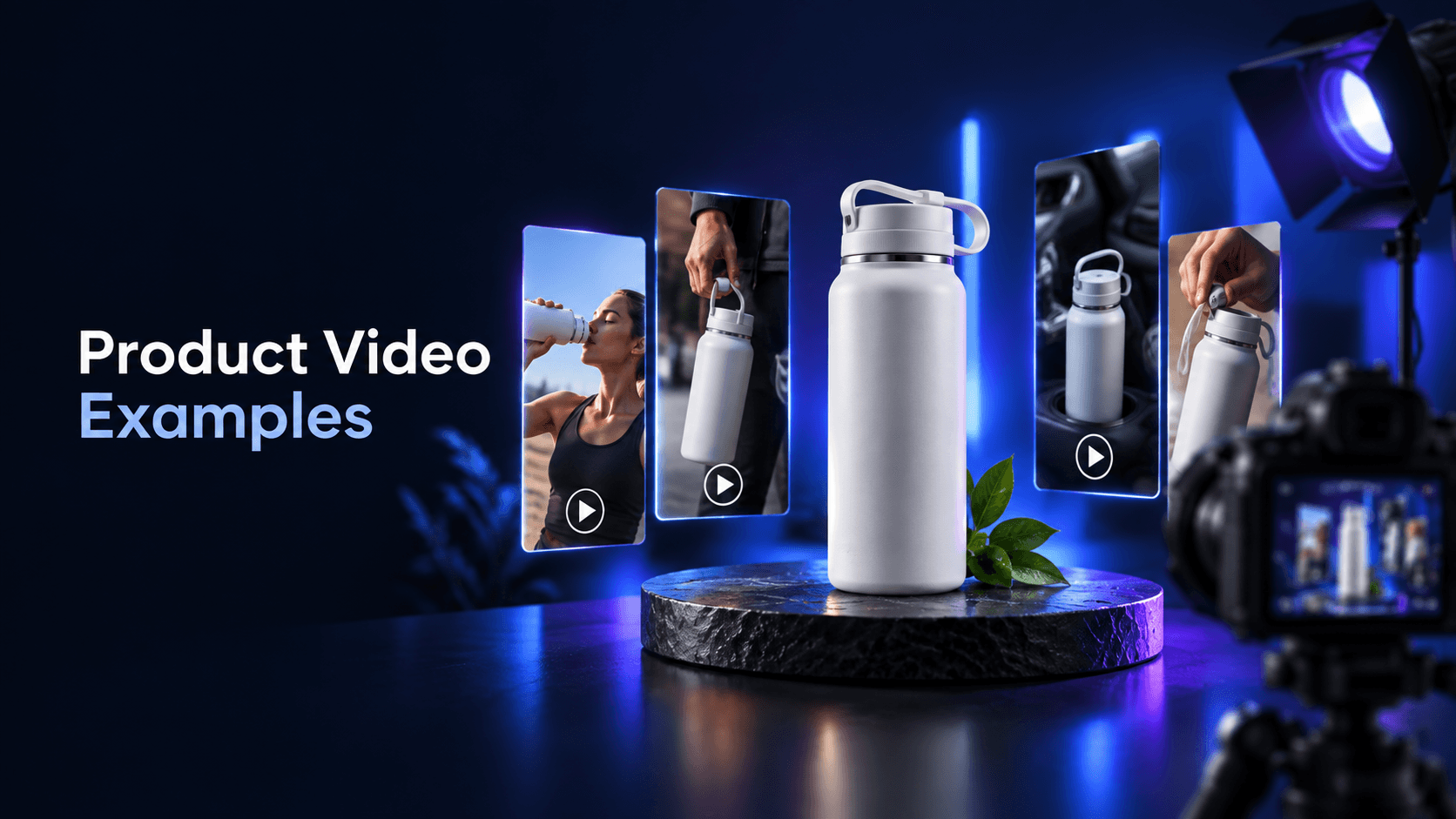
What the viewer sees: A real customer or creator explains how they use a reusable water bottle, followed by product footage in that context.
Useful source assets: Permissioned testimonial footage, verified customer language, product footage, quotable reviews, and approved claims.
Proof-led creative can add a human explanation to the product story. The proof must be genuine and specific; one testimonial should not become a universal promise. If no permissioned customer material exists, use a demonstration or sourced product information instead.
Variation to explore: Lead with the customer’s original problem rather than their praise, then let the product footage show the context.
Buyer question: “Which option is right for my needs?”
What the viewer sees: Two types of resistance bands are compared by use, resistance level, storage, and included accessories in side-by-side shots.
Useful source assets: Accurate specifications, matched product footage, current package information, and a clear comparison use case.
Comparison is useful when a store sells variants or shoppers are weighing a product against a defined alternative. It can clarify trade-offs without declaring a universal winner. Keep the criteria relevant, current, and fair.
Variation to explore: Turn the comparison into a chooser: “Pick this option if you need portability; pick that option if you need more capacity.”
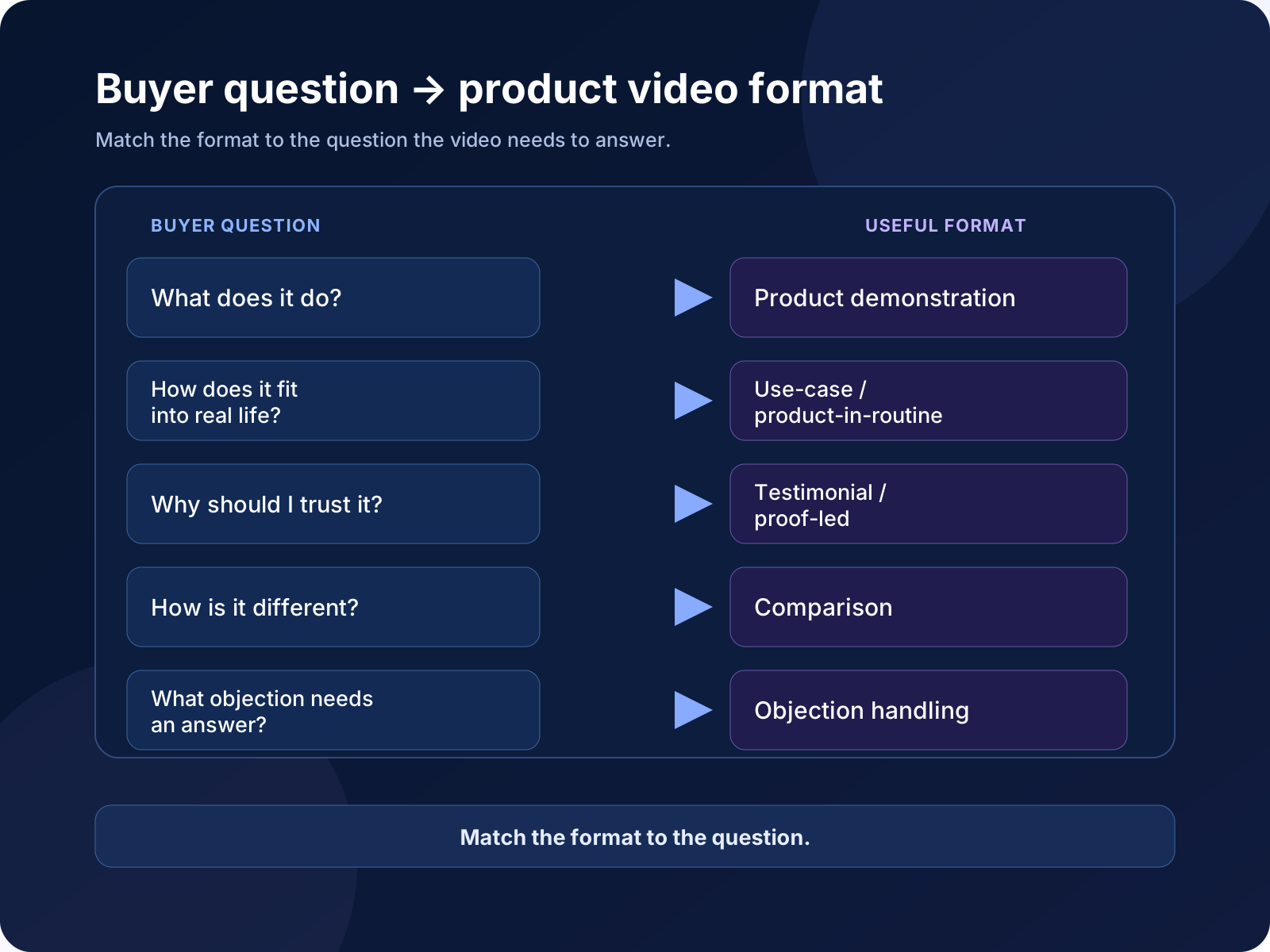
Use the matrix below as a starting point. It maps each question to a format and the source material most likely to answer it. The formats are not ranked.
| Buyer question | Recommended format | Useful source assets | Communication job |
|---|---|---|---|
| How does it work? | Product demonstration | Product footage, instructions, app or screen capture | Make the action and sequence clear |
| Can it help with my problem? | Problem → solution | Problem footage, product-in-use footage, customer language | Connect a specific problem to a product response |
| What makes it useful? | Feature-focused | Detail shots, specifications, diagrams | Explain the practical meaning of a feature |
| When would I use it? | Use-case | Lifestyle footage, context shots, routine cues | Help the viewer picture a relevant situation |
| What changes when I use it? | Before / after | Matched footage, comparison conditions | Show one observable change clearly |
| What will I receive? | Unboxing | Package footage, contents list, setup instructions | Reduce uncertainty about the delivery experience |
| Can it fit my day? | Product-in-routine | Routine footage, usage directions, context shots | Connect the product to a recurring habit |
| What might stop me buying? | Objection handling | Measurements, demonstrations, verified specifications | Answer a practical concern directly |
| Why should I believe it? | Testimonial / proof-led | Permissioned testimonials, reviews, product footage | Add credible human or product evidence |
| Which option fits me? | Comparison | Matched specifications and product footage | Clarify relevant trade-offs |
Once you choose a format, adapt the same concept without changing the underlying product story. A compact-blender demonstration could vary the hook, first scene, benefit emphasis, proof type, pacing, or CTA while keeping the core action intact.
One version might open on the finished smoothie, another on the cleanup problem, and a third on storage. These are different communication angles, not merely cosmetic edits. Available assets should determine which variations are honest and useful.
Sprokl can support this workflow by organizing existing product assets and context into creative angles, scripts, and video variations for review. The team still chooses the direction and checks product details. For deeper production guidance, see Product Video Advertising; for controlled comparisons, see the Creative Testing Framework.
This article stays at the concept level. Sample-size decisions, statistical significance, platform mechanics, and winner declarations belong in a dedicated creative-testing process.
Before developing the concept, confirm:
If the available assets cannot answer the buyer question clearly, choose a narrower question or collect better source material. A focused product video is easier to understand and adapt than one that tries to explain everything at once.
A product video is a short piece of visual content that shows, explains, contextualizes, or supports a product. It may demonstrate how the product works, show it in a routine, answer an objection, or compare relevant options. For ecommerce, the format should serve a specific buyer question rather than simply display the product.
Useful types include product demonstrations, problem-to-solution videos, feature-focused videos, use-case videos, before-and-after comparisons, unboxings, product-in-routine videos, objection-handling videos, testimonial or proof-led videos, and comparisons. Select among them based on the information a shopper still needs.
The exact assets depend on the format, but common inputs include product photos or footage, demonstrations, lifestyle footage, packaging, specifications, usage instructions, customer language, permissioned testimonials, and approved claims. Start with the question you need to answer, then identify the smallest set of accurate assets that can support it.
Keep the central product story stable and vary one meaningful dimension at a time, such as the hook, opening scene, audience angle, proof type, benefit emphasis, pacing, or CTA. The goal is to explore distinct ways to communicate the same product context, not to make unsupported promises or declare a winner before evidence exists.
Keep exploring
Make the next creative move
Build, test, and iterate on ecommerce ad creatives faster with AI-powered concepts, scripts, and variations.